



A date displayed in a spreadsheet can be a true date value, text that resembles a date or a value interpreted under the wrong regional setting. Check what the data means before sorting, calculating or reporting from it.
Use a copy or authorised practice file when investigating. Formatting a cell differently may change its appearance without correcting the underlying information.

Start with the source and intended meaning
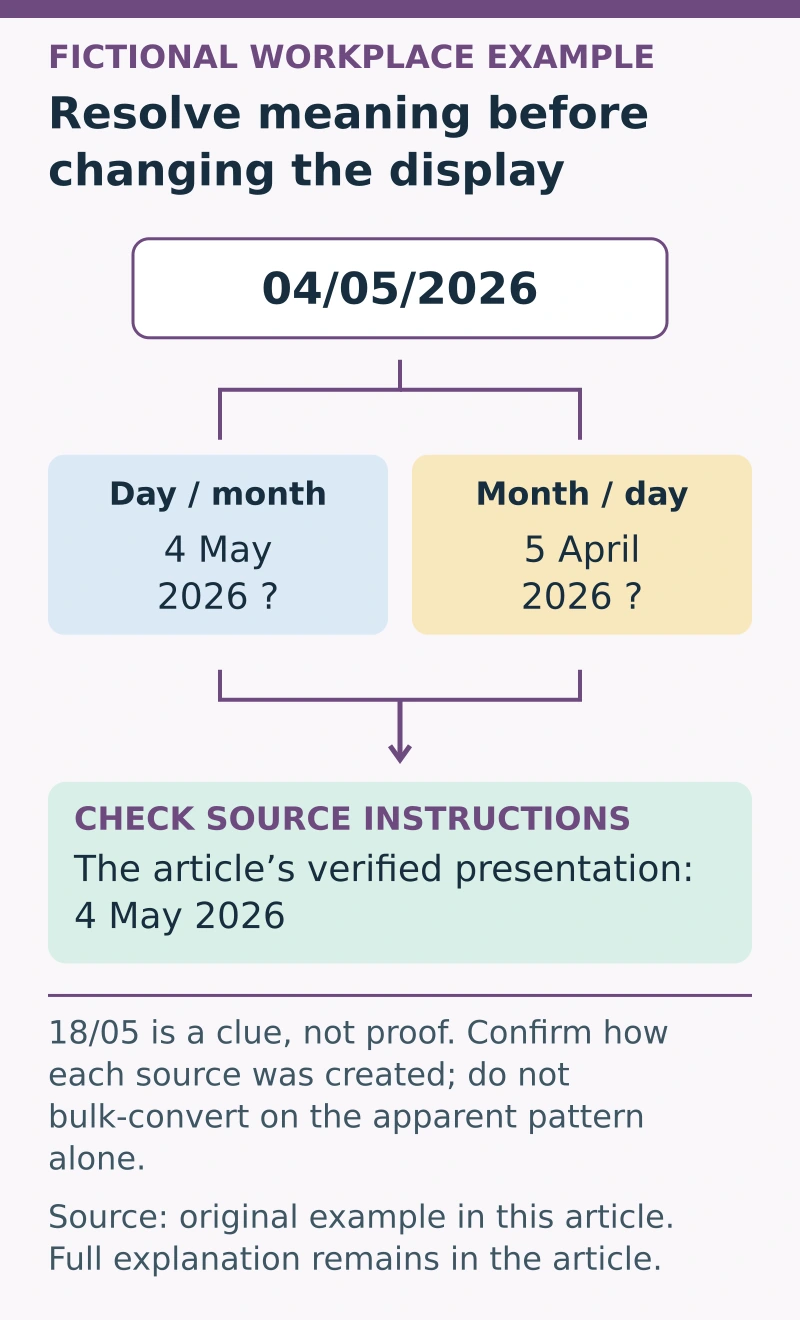
Identify how the dates were collected and which convention applies. A value such as 04/05/2026 is ambiguous without context: it could mean 4 May 2026 in day-month order or 5 April 2026 in month-day order.
Do not resolve the ambiguity by guessing from your own computer settings. Ask the source owner or check reliable supporting records. Record the intended interpretation and any unresolved entries.
Microsoft’s guidance on sorting spreadsheet data discusses the importance of consistent data types, including dates. Check the documentation for the application and regional settings actually used.
A fictional date check
Suppose an invented booking file contains “04/05/2026”, “18/05/2026” and a text entry copied from another system. The presence of 18/05 suggests a day-month convention may be relevant, but it does not prove how every source entry was created.
The reviewer checks the source instructions and confirms the intended dates. The result is recorded in an unambiguous presentation such as 4 May 2026 where appropriate for the task.
This example does not authorise converting an entire live dataset based on a single observed pattern.
Separate display from the stored value
Inspect the cell and use the application’s documented tools to determine whether it contains a date, text or another value. A successful chronological sort or calculation needs consistent valid inputs.
If converting data, work through an approved reversible process and keep the original evidence. Check representative and exceptional entries, not only the first few rows.
Where a date is unknown, keep a defined missing or unresolved status rather than entering an arbitrary date that later appears genuine in a report.
Use a validation record
Capture: A fictional date-validation record can demonstrate attention to detail for the work in our administration jobs guide; explain the source check and the uncertainty you resolved, not just the chosen cell format.
- Field: the date’s business meaning, such as booking date or review date.
- Source: system, form or record supplying it.
- Convention: verified input meaning and relevant locale.
- Type: stored date value or text requiring review.
- Conversion: authorised method and original evidence retained.
- Exceptions: ambiguous, missing or invalid entries.
- Check: independent comparison with the source after conversion.
Be particularly careful when several sources use different conventions. A single format change may make the column look consistent while preserving incorrect interpretations.
Check the result in its actual use
After cleaning, test the sort or calculation the data supports and compare selected results with the verified source. Check whether exported or imported files preserve the intended values.
Document unresolved dates for the responsible person. Reliable spreadsheet dates come from a known meaning, a valid stored value and a verified conversion process, rather than a consistent-looking display alone.